
How to Revoke My P2P Merchant Status? - Mobile App Guide
[Estimated Reading Time: 3 minutes]
To enhance the P2P service experience, Bitget P2P now enables merchants to independently revoke their merchant status via the platform. Merchants meeting the necessary requirements can complete the process seamlessly without external assistance.
How to Revoke My P2P Merchant Status on Bitget Mobile App
Follow these steps to revoke your P2P merchant status efficiently:
Step 1: Access the P2P Management Interface
1. On the Bitget mobile app homepage, tap Add Funds and select P2P Trading.
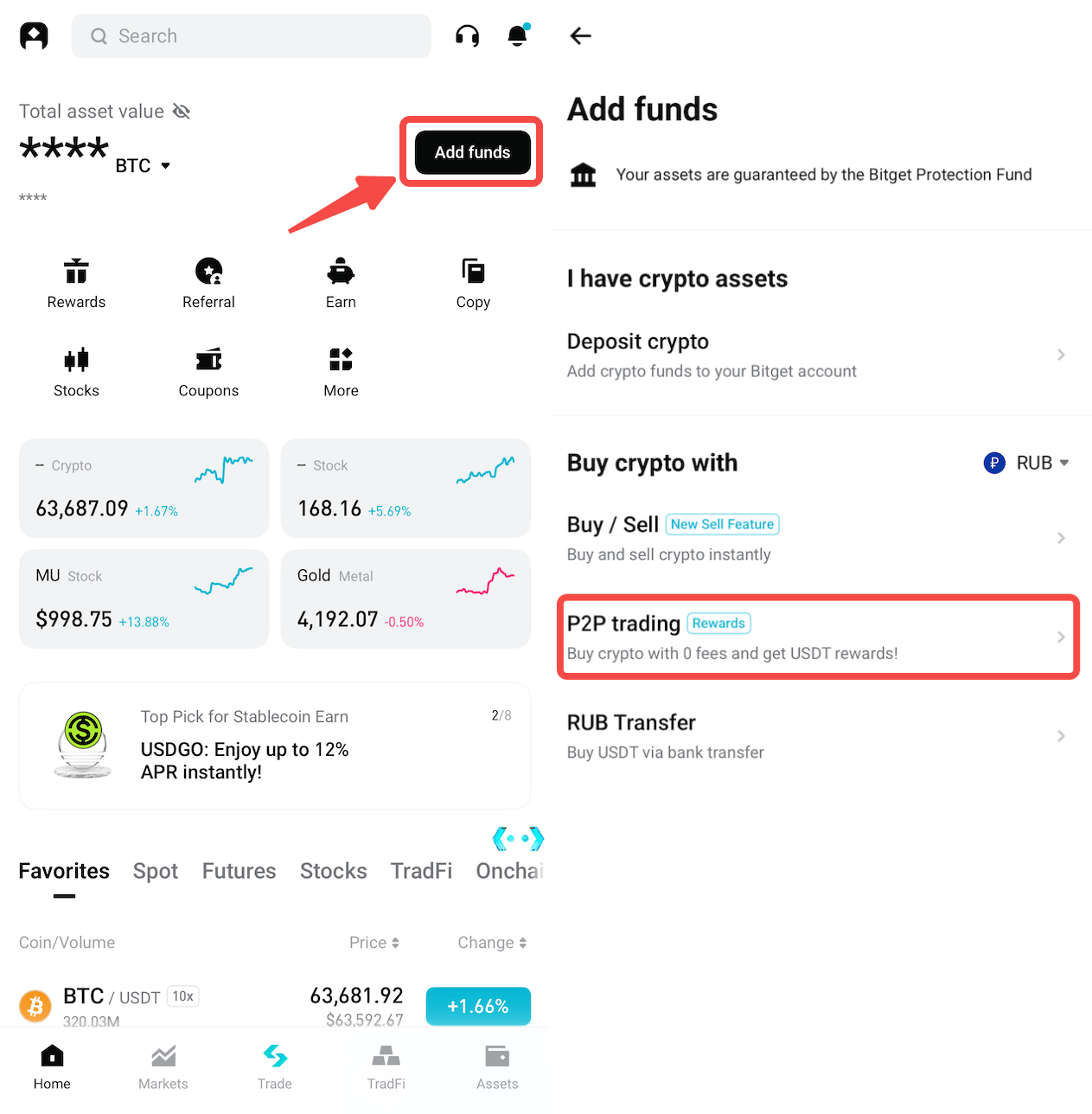
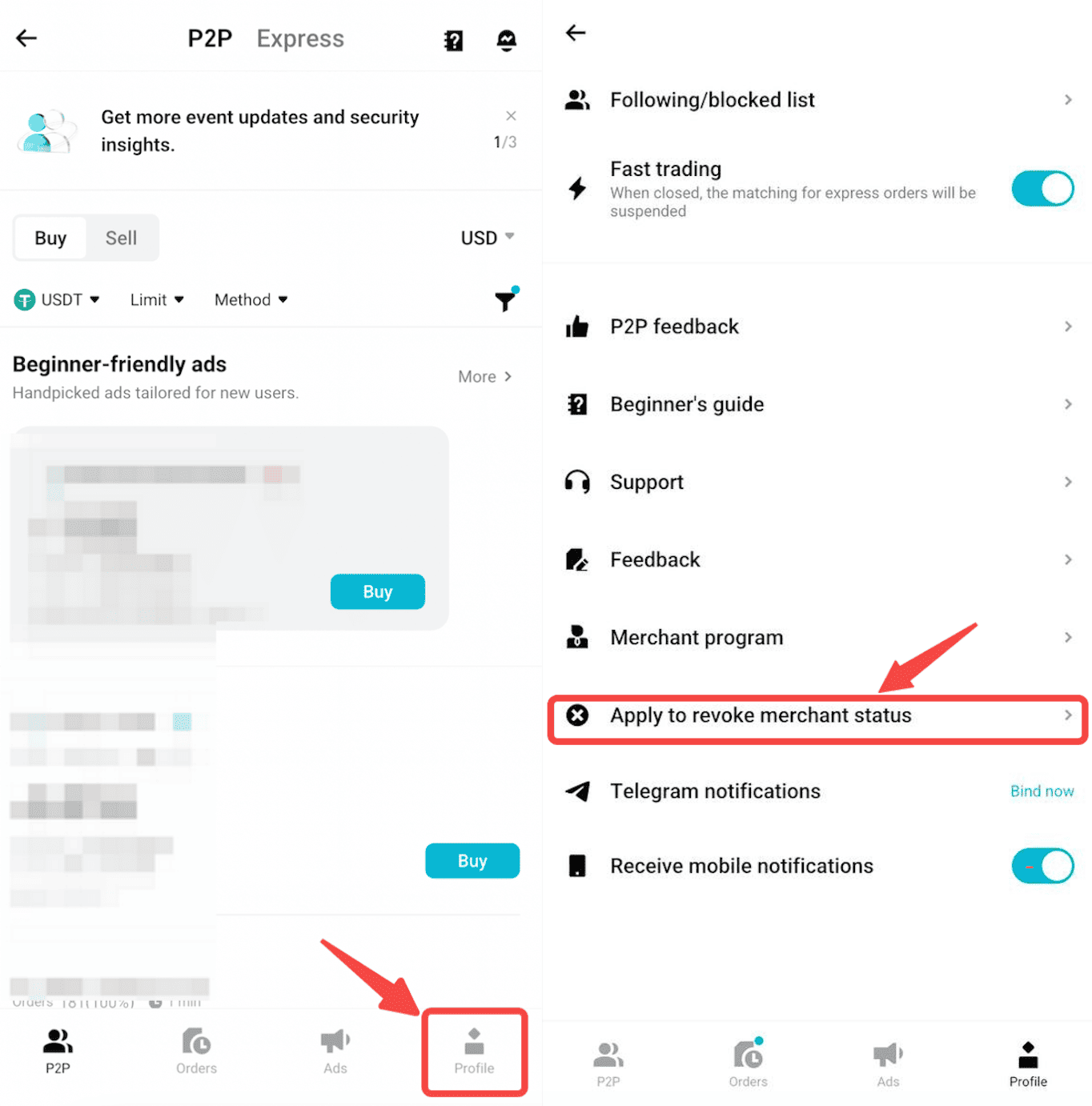
2. In the P2P Trading interface, go to Profile in the bottom-right corner.
3. Scroll down and tap Apply to revoke merchant status.
Step 2: Ensure You Meet the Requirements
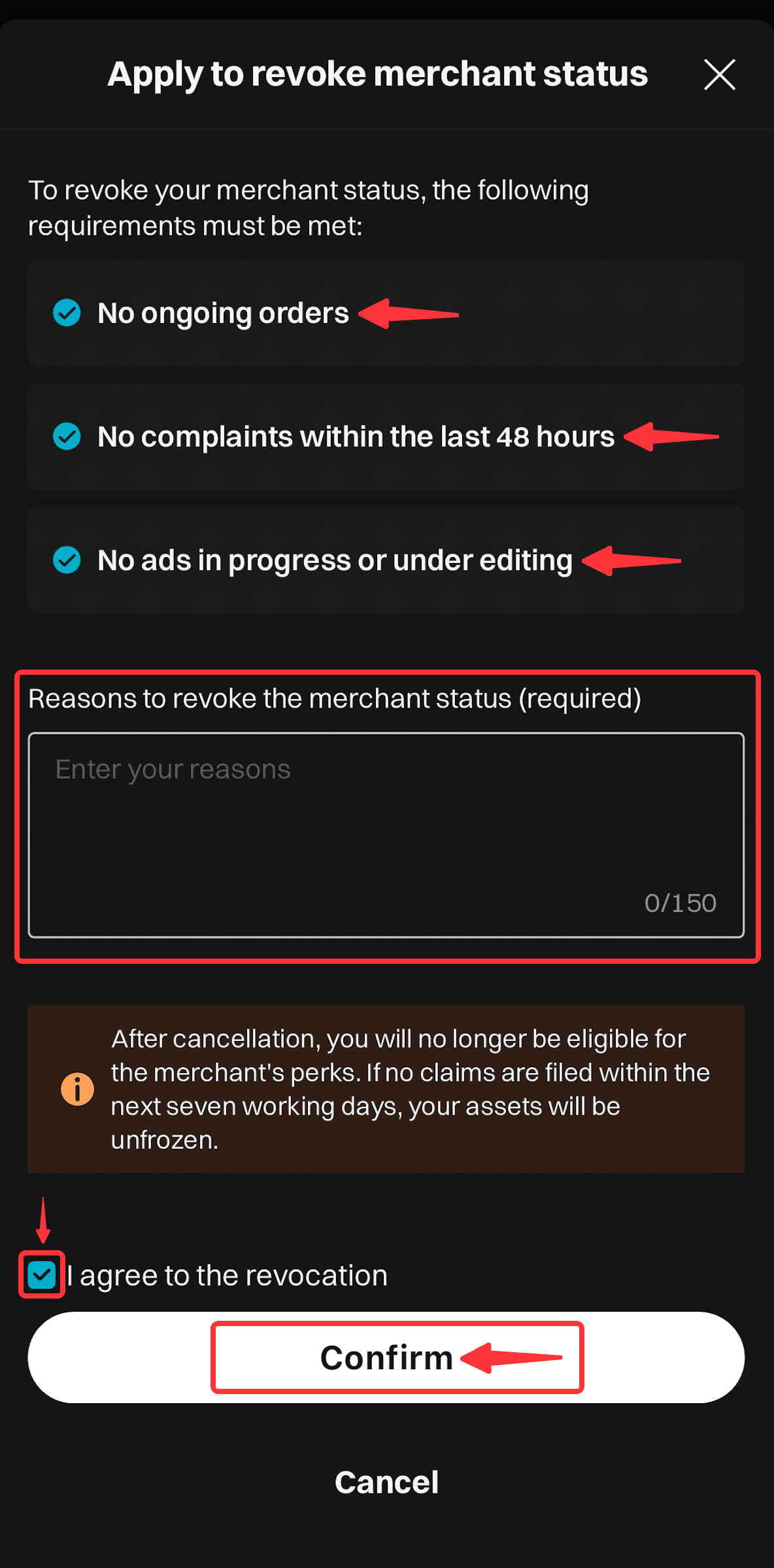
1. Before applying for revocation, make sure you meet the following requirements:
• No ongoing orders: All active trades must be completed or canceled.
• No complaints or appeals: Ensure there are no open disputes or appeals from counterparties in the last 48 hours.
• All ads are deactivated: Remove or turn off all active advertisements.
• Note: These requirements will be automatically verified by the system during the application process.
2. Once eligibility is confirmed:
• Enter a reason for your application in the designated field (maximum 150 characters).
• Review the terms and conditions carefully.
• Tick the [I agree to the revocation] checkbox to proceed.
• Submit your application by clicking Confirm.
Step 3: Re-confirm Revocation of Merchant Status
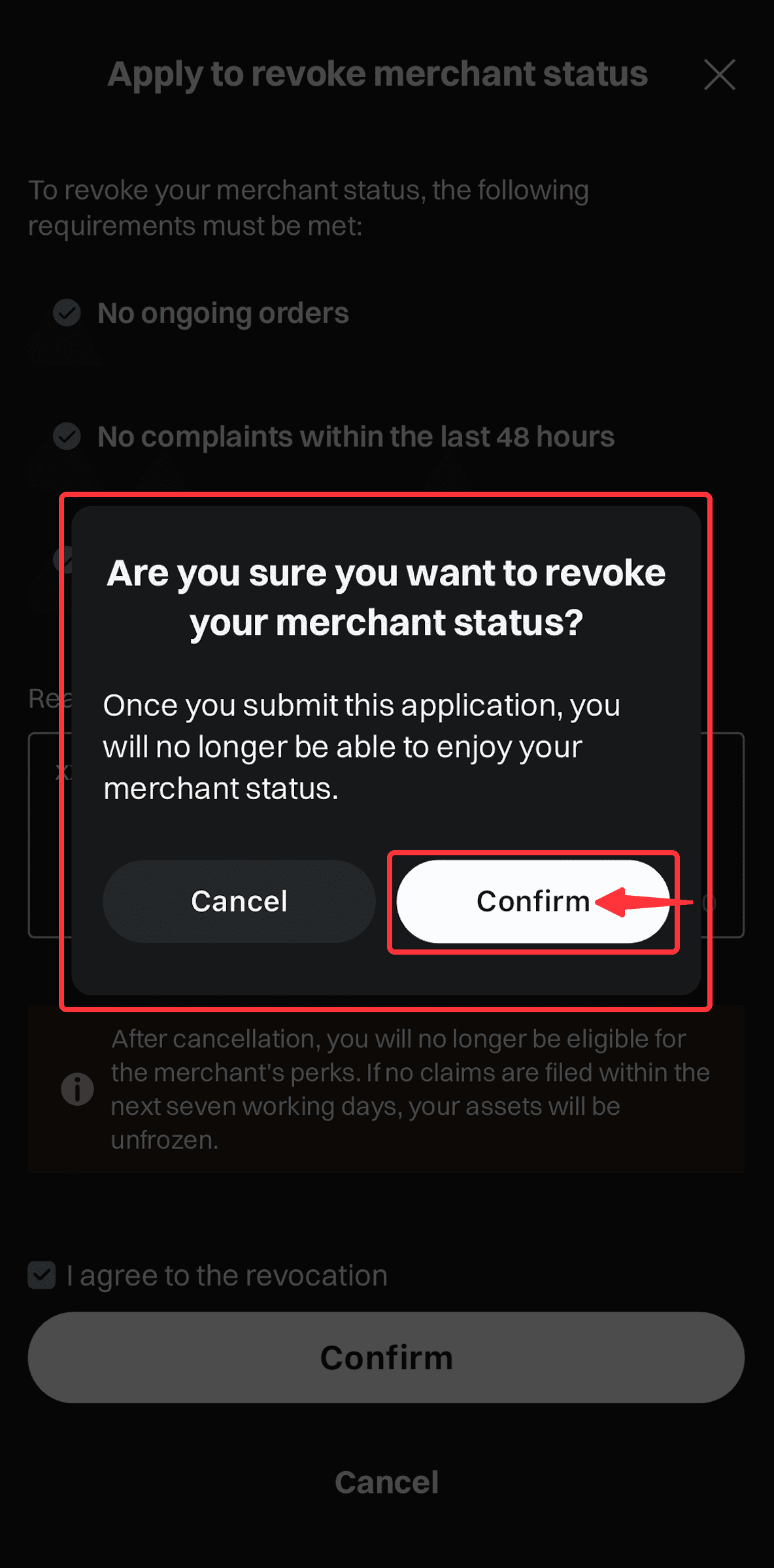
1. Click Confirm to finalize your merchant status revocation application.
• Important Note: Submitting your request will permanently remove your merchant benefits.
Step 4: Await Application Review
1. Your application will be reviewed within 7 business days.
Step 5: Revocation Confirmation and Security Deposit Release
Once your application is approved:
• Your merchant title will be revoked immediately.
• Your security deposit will be released automatically within 7 working days.
FAQs
1. What happens to my ads after revoking merchant status?
You must deactivate all ads before applying for revocation.
2. Can I trade on P2P after revoking my merchant status?
Yes, you can continue trading as a regular user.
3. Can I cancel my application after submission?
No, once submitted, the application cannot be canceled.
4. What requirements must I meet before applying to revoke merchant status?
Before applying, make sure you meet the following requirements:
• No ongoing orders: All active trades must be completed or canceled.
• No complaints or appeals: There must be no open disputes or appeals from counterparties in the last 48 hours.
• All ads are deactivated: Remove or turn off all active advertisements.
5. How long does the application review take?
Your application will be reviewed within 7 business days.
6. What happens after my application is approved?
Once your application is approved, your merchant title will be revoked immediately, and your security deposit will be released automatically within 7 working days.
Join Bitget, the World's Leading Crypto Exchange and Web3 Company
Share


